Aircraft blueprints belong to Ace Combat Online, whose progression is separate from the campaign. The supported general route is to complete Online missions, collect the blueprint-type progression items awarded through that mode, and use them from the selected aircraft’s Hangar upgrade path. When an aircraft upgrade or level-cap increase is unavailable, the missing requirement may be a blueprint for that exact aircraft, a broader blueprint category described as “General Purpose” or “universal,” ZOLL, or another requirement displayed by the aircraft panel.
No verified fixed blueprint drop rate, guaranteed quantity, or complete source table is currently available. Emergency Sortie is a reported source for the broader blueprint item, but it is not confirmed to award one every time. Read the reward and upgrade screens literally instead of planning around an unverified number.
The multiplayer guide explains the separate progression loop; the Emergency Sortie guide covers how to recognize the random cooperative offer.
Version scope — October 7, 2026: This page was edited from supplied research. No numbered game build or independent playtest is recorded for this guide. Check the current in-game descriptions and your platform before applying build-sensitive conditions.
Keep Campaign and Online progression separate
Campaign unlocks do not transfer into the Online Hangar. In the campaign, you earn MRP and spend it through the Aircraft Tree on aircraft, special weapons, and parts. Ace Combat Online has its own aircraft levels, parts, currencies, and blueprint progression. Replaying a campaign mission for MRP can help the campaign fleet, but it will not fill an Online blueprint requirement.
This distinction matters because both systems involve aircraft and upgrades while using different resources. Before farming anything, confirm that you opened Ace Combat Online and selected the aircraft in its Hangar. If the screen shows an aircraft level, a level-cap upgrade, blueprint requirements, or ZOLL, you are looking at the relevant progression path. If it shows the campaign Aircraft Tree and MRP, back out and switch modes.
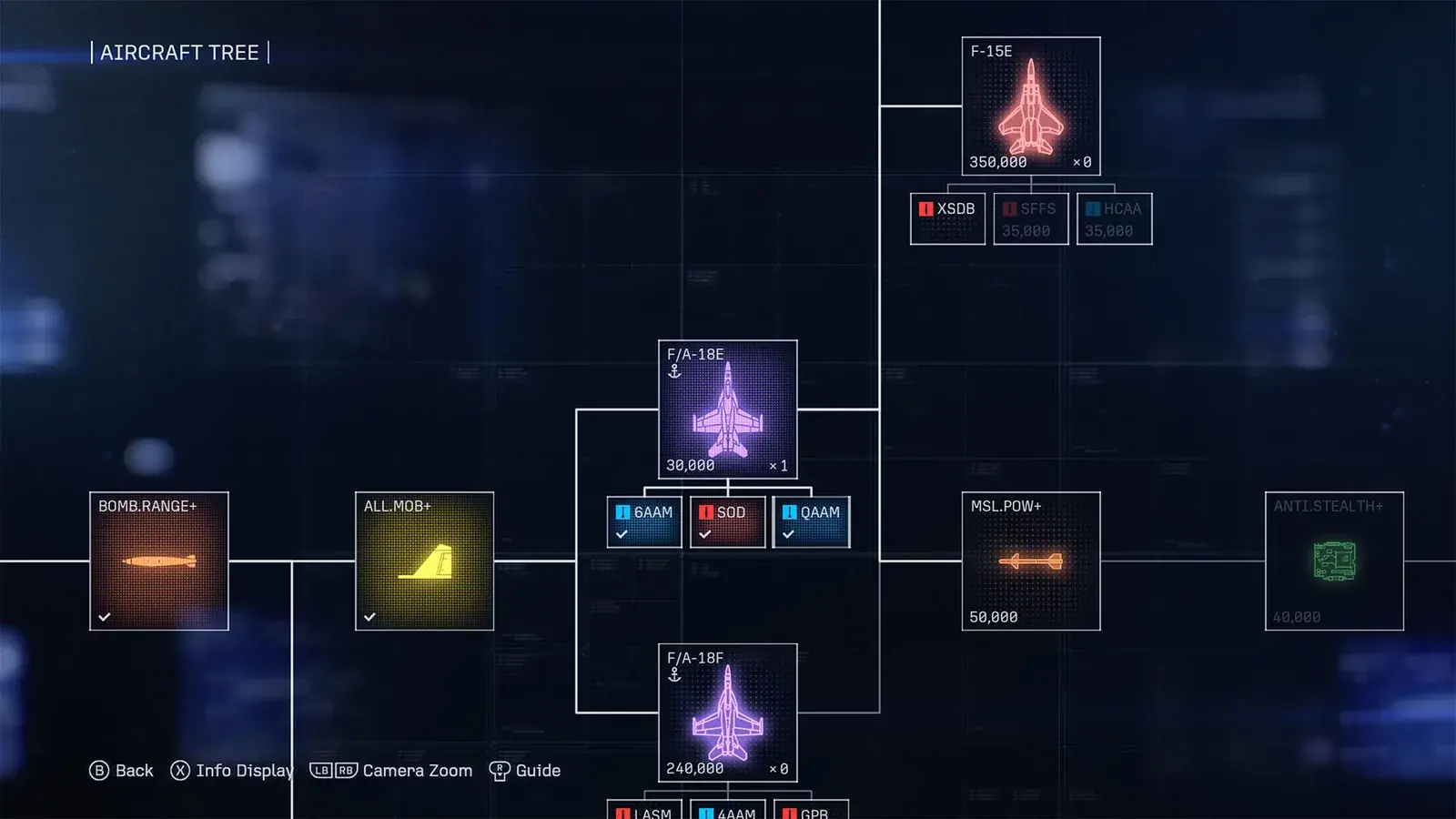
This is the campaign MRP tree. Online blueprint progression is checked separately in the Online Hangar.
Read the aircraft upgrade requirement before you farm
Open the Online Hangar, select the aircraft you actually want to improve, and inspect its next upgrade or cap-increase panel. Record every line shown there. Do not stop after noticing that you own one blueprint category; the upgrade can remain unavailable because another line is still short.
Check three types of resource or condition:
- Aircraft-specific blueprint: a blueprint tied to the selected model. A blueprint for another aircraft should not be treated as a substitute.
- Broader blueprint item: players use both “General Purpose” and “universal” wording. Because those labels are not confirmed to be interchangeable in every menu or localization, match the exact item name and icon shown on your requirement panel.
- ZOLL: the Online currency used in the same progression loop. ZOLL can be needed for the blueprint purchase and the subsequent upgrade, so having enough blueprints alone may not make the action available.
Also check whether the panel displays an aircraft-level or other eligibility condition. Do not assume that blueprint inventory overrides another line shown by the interface. The selected aircraft’s live requirement panel is the safest authority for deciding what remains missing.
How to get aircraft blueprints in Ace Combat Online
Complete Online missions and verify the reward screen
The general acquisition method is to play Ace Combat Online missions. The Online Hangar progression is described as an XP system in which completing missions awards consumable progression items, including blueprints, that are used to raise aircraft levels and unlock more parts.
Do not assume that “completed a match” means “received the exact blueprint I need.” After every sortie, inspect the results and reward screens. Note the full item name, aircraft association, and quantity before dismissing the screen. Then reopen the target aircraft and see whether its requirement changed. This separates an actual blueprint drop from aircraft XP, ZOLL, a contract bonus, or an unrelated item.
A short session record can help: note the mode, whether the mission was completed, and every named reward. This does not improve the drop chance, but it prevents dry runs or unrelated rewards from being remembered as evidence for a blueprint source.
Choose a mode and aircraft with which you can finish consistently. That is farming advice, not a guarantee that easier or faster matches have better blueprint odds. No verified best mode, difficulty bonus, score threshold, or performance formula for blueprint drops is available.
Use Emergency Sortie when it appears, but do not assume a guaranteed drop
Emergency Sortie is an eight-player cooperative Online activity that can appear after a regular mission. It is also the only specific activity currently identified as a reported source of the broader General Purpose-type blueprint.
That evidence is not enough to claim a fixed trigger chance, guaranteed blueprint, or exact quantity. Treat Emergency Sortie as a high-priority opportunity when the game offers it, complete it if your group can do so reliably, and confirm the actual reward afterward. Do not build a timer or abandon ordinary Online missions while waiting for it; no exact appearance probability has been confirmed.
Intercepts have been associated with higher ZOLL earnings in player reports, but they are not established as a blueprint source. They may help with the currency side of an upgrade, but they should not be treated as a guaranteed way to obtain blueprints.
Buy the blueprint for the exact aircraft when the Hangar offers the store route
If the target aircraft’s panel is missing an aircraft-specific blueprint, look for the on-screen shortcut that opens the Store from that aircraft. The reported route is to select the aircraft, follow the Store prompt, and purchase the matching aircraft blueprint with ZOLL.
Verify the aircraft model before confirming. Similar aircraft names and variants are not interchangeable merely because they share a family name. Return to the Hangar after the purchase and recheck every requirement instead of assuming that the cap increase is now ready.
Blueprint prices are not stated here because a stable, verified price table is unavailable. Use the amount displayed in the current Store and keep enough ZOLL for any separate upgrade charge shown afterward.
A safe blueprint farming loop
Use this loop when you want progress on one aircraft without wasting scarce items:
- Choose one target aircraft. Spreading resources across several aircraft makes it harder to see which requirement is blocking you.
- Open its next upgrade panel. Write down the exact aircraft blueprint, broader blueprint item, ZOLL amount, and any eligibility line displayed.
- Check the Store route. If the aircraft-specific blueprint is purchasable, compare its exact name to the target before spending ZOLL.
- Run Online missions you can finish reliably. Completion advances the Online progression loop, but no verified rule promises a blueprint after every match.
- Accept Emergency Sortie when practical. It is a reported source for the broader blueprint category, not a confirmed guaranteed drop.
- Read the results screen. Confirm what actually entered your inventory.
- Return to the same aircraft. Recheck the requirement panel and only buy or apply the upgrade when every displayed line is satisfied.
- Repeat with evidence. If several missions produce no needed blueprint, that is not proof that the item cannot drop; it only means those runs did not provide it.
This loop keeps the goal narrow: obtain the exact items displayed for one aircraft, preserve enough ZOLL to finish the transaction, and verify progress in the Hangar after each session.
Why the aircraft upgrade is still greyed out
A greyed upgrade does not necessarily mean the game ignored your blueprints. Work through these checks in order:
- Confirm the mode. Campaign MRP, campaign aircraft purchases, and campaign parts do not satisfy Online requirements.
- Confirm the aircraft variant. The blueprint must match the model named by the Online panel.
- Check both blueprint lines. Owning the broader blueprint item may still leave the aircraft-specific item missing, and the reverse can also be true.
- Check ZOLL twice. The Store purchase and the aircraft upgrade may be separate spending steps if both are shown by the interface.
- Check the displayed eligibility line. Do not infer a level rule from another aircraft or an older menu.
- Refresh the path. Return to the Online Hangar, reselect the aircraft, and reopen its upgrade panel after claiming or purchasing an item.
- Compare exact names and icons. Broader blueprint terminology is not consistent in player discussions, so the in-game label is the safer reference.
If every visible requirement is satisfied and the action remains unavailable, preserve screenshots of the aircraft name, current level, resource counts, and the complete requirement panel. Do not invent a hidden threshold or assume a workaround that the interface does not show.
Spend scarce blueprints without creating a second bottleneck
Blueprints are only one part of Online progression. ZOLL and aircraft leveling remain relevant, and upgraded parts also consume resources. A useful plan therefore keeps a reserve instead of spending every unit of ZOLL as soon as a Store item appears.
Prioritize the aircraft you regularly fly or the one whose newly available parts and ability slots serve your current goal. This is a resource-management recommendation, not a claim that one aircraft is objectively best. The aircraft roster spans fighters, attackers, multirole aircraft, and electronic-warfare aircraft, so the useful target depends on the Online missions and role you play.
Avoid buying a blueprint simply because it is available. First confirm that it belongs to the aircraft you selected and that you can satisfy the other displayed requirements. Likewise, do not spend the broader blueprint item across several aircraft merely to clear every early cap. Players repeatedly describe that item as scarce, while no dependable farming rate has been confirmed.
Blueprint checklist
Before starting a session, confirm that you are in Ace Combat Online and have one target aircraft. Inspect its upgrade panel, identify every required blueprint by exact name, and note the displayed ZOLL requirement. Complete Online missions, take Emergency Sortie opportunities when they appear, and verify each reward rather than assuming a drop.
Before spending, confirm the aircraft variant again. Use the aircraft’s Store shortcut when an aircraft-specific blueprint is offered, then return to the Hangar and check whether the broader blueprint, ZOLL, level, and any other visible condition are satisfied. If the button remains grey, troubleshoot the missing line instead of continuing to farm blindly.
That is the supported path: earn blueprint consumables through Online play, use the Store route for a matching aircraft-specific blueprint when available, preserve ZOLL for the full upgrade process, and let the target aircraft’s live requirement panel decide what you still need.