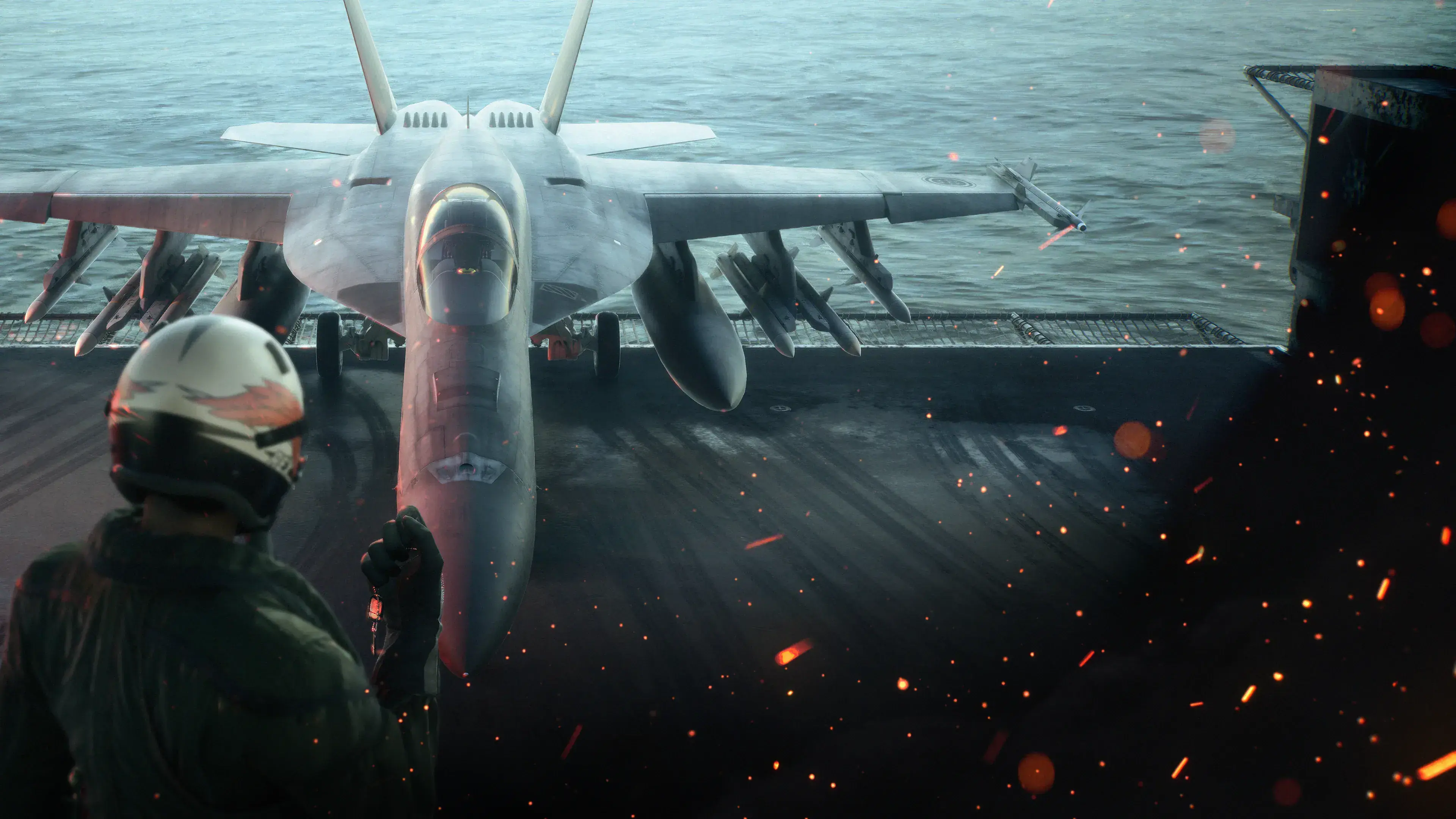
Ace Combat 8 drop tanks unlock after you complete the Campaign once. Purchase the post-Campaign Drop Tank node located immediately after the F-35C in the Aircraft Tree for 100,000 MRP, then equip the part in a MISC slot before a sortie. While flying, hold your assigned weapon-switch control to jettison the tanks.
The important limitation is that drop tanks are cosmetic. They do not add fuel, extend your range, increase ammunition, improve speed, or change the aircraft's handling. They also occupy a genuine part slot, so equipping them means giving up space that could hold a functional MISC upgrade. Use them when you want the appearance and release animation, not when you need a stronger build.
Use the Aircraft Tree to locate the post-campaign node and the MRP guide to keep this cosmetic purchase separate from mission-critical spending.
Version scope — October 7, 2026: This page was edited from supplied research. No numbered game build or independent playtest is recorded for this guide. Check the current in-game descriptions and your platform before applying build-sensitive conditions.
Drop Tank Quick Reference
| Detail | Confirmed behavior |
|---|---|
| Unlock requirement | Complete the Campaign once |
| Required difficulty | Any Campaign difficulty |
| New Game Plus required | No |
| Aircraft Tree location | First node after the F-35C |
| Purchase price | 100,000 MRP |
| Part category | MISC |
| Fuel or range increase | No |
| Performance or stat bonus | No |
| Manual release | Hold the weapon-switch control |
| Primary purpose | Aircraft appearance and an in-flight jettison effect |
These details describe the Campaign part. ACE COMBAT ONLINE has separate progression and save data, so do not assume that a Campaign purchase or unlock automatically transfers into the online mode.
How to Unlock Drop Tanks
You cannot buy the Drop Tank part during your initial trip through the Aircraft Tree. It is a post-Campaign unlock, so the first requirement is simply to finish the story once. The difficulty selected for that clear does not matter, and you do not need to begin New Game Plus or complete an additional challenge.
After recording the Campaign clear:
- Return to the Aircraft Tree.
- Find the F-35C branch.
- Look at the first node positioned after the F-35C.
- Select the Drop Tank node.
- Spend 100,000 MRP to purchase it.
If the node is absent before your first clear, you have not overlooked a concealed branch. Continue the Campaign rather than spending time searching every earlier aircraft route. Once the story has been completed, revisit the position after the F-35C.
The part costs MRP in addition to requiring the Campaign clear. Completing the story exposes the node; it does not make the part free. If your current MRP is reserved for aircraft, weapons, or functional parts, you can leave the node unpurchased and return later. You can revisit the Campaign tree when you are ready to spend the MRP.
For an efficient first playthrough, prioritize equipment that directly helps you complete missions. Buying the tanks is most sensible after the clear when their visual value matters more to you than another functional unlock. That is a spending recommendation, not a requirement imposed by the game.
How to Equip Drop Tanks
Purchasing the Aircraft Tree node only makes the part available. You must also place it in an aircraft's parts loadout before launching a sortie.
- Open the pre-sortie aircraft setup.
- Select the aircraft you intend to fly.
- Open its parts loadout.
- Find Drop Tank under the MISC category.
- Place it in an available MISC slot.
- Confirm the loadout and begin the sortie.
Drop Tanks are not applied like a skin, emblem, or global cosmetic setting. They consume a real MISC slot on the aircraft using them. If every MISC slot is occupied, remove another part before attempting to equip the tanks.
Compatibility can also depend on the selected aircraft and special-weapon configuration. External tanks and weapons can compete for compatible positions on the aircraft model, so a setup may fail to display the tanks even though you own the part. If that happens, first verify that the part is still equipped, then change the special weapon or test another aircraft configuration.
Do not treat a missing visual model as evidence that your Campaign clear or purchase was lost. Separate the problem into three checks: whether the node is unlocked, whether the part was purchased and placed in a MISC slot, and whether the current aircraft-and-weapon combination displays it.
What Drop Tanks Do in Ace Combat 8
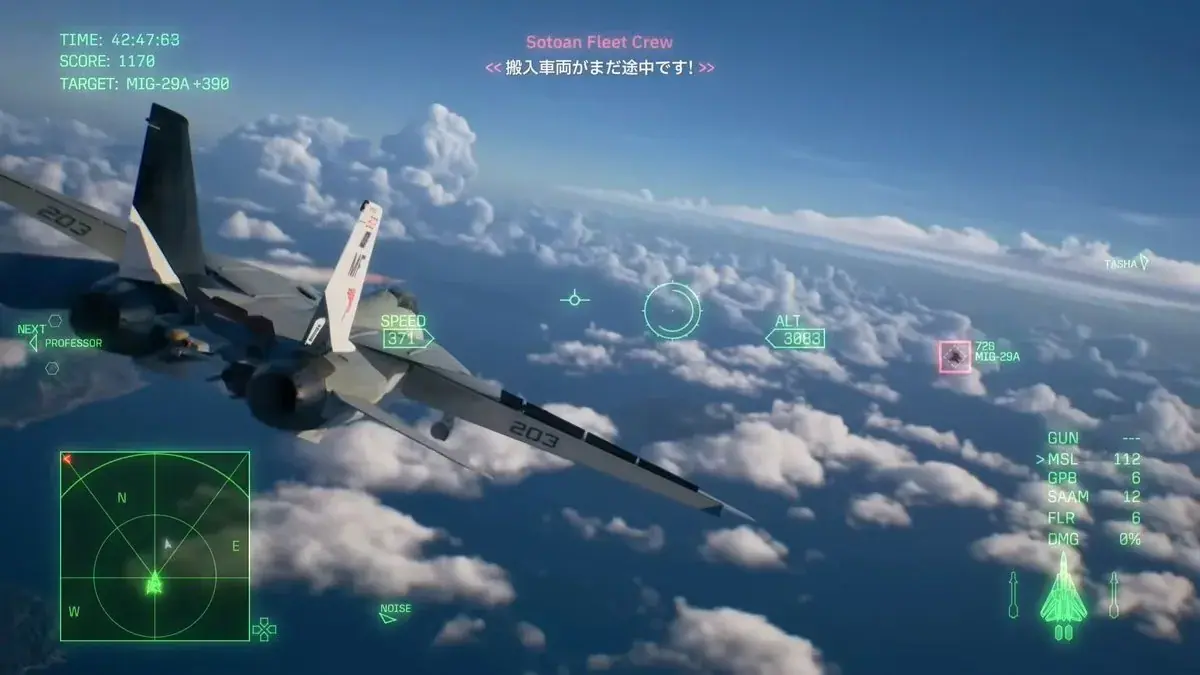
The equipped aircraft model shows the external tanks before jettison.
Real-world drop tanks are external fuel containers used to extend an aircraft's operating range. Ace Combat 8 recreates their appearance and the ability to release them, but it does not attach a player-managed fuel benefit to this part.
Equipping Drop Tanks does not provide any of the following:
- Extra fuel or a longer flight time
- Additional mission range
- More standard or special-weapon ammunition
- Higher speed or acceleration
- Better maneuverability after release
- A listed aircraft-stat increase
- A way to skip Campaign refueling sequences
Their practical effect is visual: the tanks appear on a compatible aircraft configuration and can be released in flight. This makes the part useful for cinematic Campaign replays, screenshots, role-playing a ferry or approach configuration, and recreating the familiar moment when a fighter discards external tanks before combat.
The tanks separate as an unguided falling object, but they should not be included in an attack plan. The current information does not establish a dependable damage value or combat outcome. Do not promise that dropping one onto a target will destroy it, award points, or count as a weapon hit.
How to Jettison Drop Tanks
Once the part is equipped and the tanks are visible, hold the control assigned to switch weapons. A short press normally changes the selected weapon, so use a hold rather than repeatedly tapping the control. The exact physical button depends on your platform and control configuration; follow the current weapon-switch binding shown by your game instead of assuming a universal button.
You can release the tanks whenever you choose during the sortie. There is no supported performance reason to preserve them for a particular phase of the mission, and dropping them early does not grant a speed or handling advantage. Likewise, keeping them attached does not extend your fuel supply.
Choose the timing for presentation. You might carry them through takeoff and approach, release them as combat begins, or wait for a clear camera angle. Once jettisoned, do not expect to reattach or reuse them during that sortie. If you want another release sequence, begin a new sortie with the part equipped again.
The MISC Slot Tradeoff
The largest gameplay cost is not the 100,000 MRP purchase price. It is the occupied MISC slot. Parts are one of the main ways to tailor an aircraft to a mission, and a cosmetic part competes with options that can actually change a sortie.
For a difficult mission, high-score attempt, or restrictive aircraft build, compare the tanks with the functional part you would remove. If the missing upgrade affects something you rely on, keep the functional part and leave the tanks off. The external-tank appearance does not compensate for lost performance.
For a relaxed replay, the calculation changes. You may already know the objectives, have a suitable aircraft, and care more about the look of the sortie than optimization. In that situation, spending one slot on Drop Tanks can be a reasonable personal choice.
A simple rule is:
- Use Drop Tanks for visuals, screenshots, cinematic releases, and lower-pressure replays.
- Use a functional MISC part when mission completion, survivability, scoring, or consistency matters more.
This is loadout advice rather than a guaranteed result. A capable player may still clear demanding content with the tanks equipped, but the tanks themselves provide no documented help.
Troubleshooting Missing Drop Tanks
If you cannot find or see the tanks, identify where the process failed instead of repeating the entire unlock route.
The Aircraft Tree Node Is Missing
Confirm that you have completed the full Campaign. The node is not available during the initial story run and does not require Elite difficulty or New Game Plus. After the clear, inspect the first node following the F-35C rather than searching unrelated branches.
The Node Is Visible but the Part Cannot Be Equipped
Check whether you actually purchased it for 100,000 MRP. An exposed node and an owned part are different states. Then open the aircraft's parts screen and confirm that a MISC slot is free.
The Part Is Equipped but the Tanks Are Invisible
Change the selected special weapon and inspect the result in a sortie. Some aircraft-and-weapon configurations may not display the tanks because of their external arrangement. Testing another compatible aircraft can distinguish a configuration limitation from an equipment mistake.
Holding the Control Does Not Release Them
First verify that the tanks are visible before attempting the release. Next, inspect your control settings and identify the binding currently assigned to weapon switching. Hold that input rather than relying on a platform-specific button remembered from another setup or another Ace Combat title.
Jettisoning Them Does Not Improve the Aircraft
That is expected. Their release does not produce a supported change to speed, maneuverability, fuel, range, ammunition, or displayed performance. The animation is the intended result.
When Drop Tanks Are Worth Buying
Buy the part if you specifically want external tanks on your aircraft and value the ability to release them manually. It is a clear post-Campaign cosmetic goal with a known purchase price, rather than a hidden performance upgrade.
Consider delaying the purchase when 100,000 MRP would block an aircraft, weapon, or functional part you intend to use. The tanks remain cosmetic after they are bought, so purchasing them earlier does not create a long-term statistical advantage.
They are particularly suited to players who enjoy:
- Replaying Campaign missions with a more cinematic aircraft configuration
- Capturing the tanks before and during separation
- Releasing external stores as a self-imposed start-of-combat ritual
- Trying different compatible aircraft and special-weapon combinations
- Collecting unusual post-Campaign parts after essential purchases are complete
They are a poor fit for a build assembled solely around measurable performance. In that case, their MISC slot is the decisive drawback.
Final Setup Checklist
Before launching a sortie, verify the complete chain:
- The Campaign has been completed once.
- The Drop Tank node after the F-35C has appeared.
- You purchased the node for 100,000 MRP.
- Drop Tank is installed in a MISC slot.
- The chosen aircraft and special-weapon configuration displays the tanks.
- You know which current binding switches weapons.
- You understand that the part adds no fuel or performance benefit.
- Hold the weapon-switch control when you are ready to jettison the tanks.
If all eight checks are satisfied, the setup is complete. Everything after that—the aircraft you use, the mission you replay, and the moment you release the tanks—is a visual choice rather than a route to a stronger aircraft.